
Most of you reading this have probably used or are currently using Adobe Illustrator and Adobe Photoshop. The software is great, but the most frustrating part is the cost!

As someone who works from home, there is no way I am paying $40 a month for Adobe Creative Cloud. If I was a full-time designer perhaps, but I am a blogger. I have finally found some good alternatives though and left Adobe altogether. Check out these top 7 Adobe Illustrator alternatives (free and premium).
The problem with Adobe Creative Cloud
As a blogger, I have a few different sites. Here on woorkup I primarily use vectors. On one of my other sites, I primarily use photos. It really depends on the niche you are in and the type of audience you are marketing towards. But because of that, I bounce between Adobe Illustrator and Adobe Photoshop a lot. They each have their own little tricks that I have used over the years.
I have a 4-year degree in web and graphic design, although to be honest, I spent the majority of my time in the computer support department working my butt off. However, I did have one teacher which was really great. He taught photography and Adobe classes. He forced us to memorize shortcut keys, where things were located, go through tutorials, etc. Thankfully, what I learned in those classes stuck with me today. I still use all the shortcut keys and it speeds up my work.
I have used Adobe Photoshop and Illustrator now since around 2006. However, this year I finally got fed up paying $40 a month for it. And that is if you pay annually, if you go monthly it is $60 a month for both pieces of software. That is a little bit ridiculous, especially when you compare it to other tools I use more which I pay less for. However, they are a necessity for me, paint just doesn’t cut it.

Yes, I know you can torrent these, but there are a couple of problems and pet peeves associated with that:
- I truly believe in supporting developers if they created good products. While Adobe is a huge corporation, I still don’t mind paying them a little for tools that are beneficial for me. The problem is, they have no entrepreneur/single plan that works. They pretty much have left out all bloggers in their pricing.
- If you torrent this software (which I never recommend doing), you are almost always a couple of versions behind. I am working on a 4k monitor, due to the fact that I needed to create retina images for one of my sites. Adobe pushed out a retina patch, but you can’t download it with the torrented copy. Also, I work so much right now I don’t have time to deal with that stuff anymore, I just need something that works all the time.
7 options for a cheap Adobe Illustrator alternative
This year I finally got to my breaking point and figured there had to be something better out there. And to my surprise, there was! Check out the following Adobe Illustrator alternatives I recommend. Note: I am using a Mac.
1. Affinity Designer
The first amazing option, and the one I am currently using every single day is Affinity Designer. This is by far the best Adobe Illustrator alternative I have ever found. These guys have been around for a while, but just recently have been making huge updates to their product lines.
They also have Affinity Photo, which is their Adobe Photoshop alternative. I also use this every day.

The most amazing part about it is there is no subscription fee, it is a one-time purchase of $49.99. Yes, you heard me right. A one-time purchase! And they have both a Windows and Mac version.
I have yet to find anything I did in Adobe Illustrator that I can’t do in Affinity Designer. And one of the best things is that the Affinity software all uses way less RAM over time. I had horrible times with Adobe Illustrator crashing all the time (and I have 24GB of RAM), and this works beautifully all the time.
Also, Photoshop had a recovery mode, Illustrator didn’t. Both Affinity Designer and Affinity Photo have recovery modes so you never lose anything.

Oh, and the migration away from Adobe is super simple! Because all the Affinity software lets you open up Adobe Illustrator files and Adobe Photoshop files. You can then save them into their respective .afdesign and .afphoto formats. Most shortcut keys are exactly the same as Adobe, only a few are slightly different, but for the better. You can even open .webp files.
One little feature I use all the time, that Illustrator doesn’t even have, is the “File → New From Clipboard.” I love this!
2. Sketch
Sketch is the second Adobe Illustrator alternative I suggest you check out. They were founded in 2008 and based in the Hague, NL. I personally have not used it, since it is only available for MAC, however I have heard nothing but great things. I have many friends and colleagues who migrated from Adobe Illustrator to Sketch and they never looked back.

The great news is that this is also available for a just $99.00 annually (one year of updates included). You aren’t required to pay again.

If you are on a MAC and working with lots of vectors and SVGs, this is definitely a tool you want to check out.
3. Vectr (free)
We also have Vectr! This is actually one I just recently discovered. This is a completely free Adobe Illustrator alternative. They have versions available for Windows, MAC, Linux, Chromebook, online version, and just recently a WordPress plugin.

While this can do a lot of great stuff with vectors, I want to focus on the WordPress integration as this is pretty unique. You can use and create vectors from right within the WordPress post editor. Pretty cool! Just install the free Vectr plugin and you can then click into it in the visual editor.

It will then open up a new editor in which you can do all sorts of amazing stuff with vectors. You can see below in my example I uploaded the Vectr SVG logo and was able to easily manipulate the layer colors within a second. You could even design your featured image for your WordPress posts from right within WordPress.

Here is a great overview video. If you are on a tight budget, and need something to create high-quality vector images, I definitely recommend checking out Vectr. It’s definitely the best free solution I have ever come across, and their attention to the WordPress community is exciting.
4. Amadine
Then we have Amadine. A vector software tool for Macs. This is a great little tool and only costs $19.99.

5. Pixelmator Pro
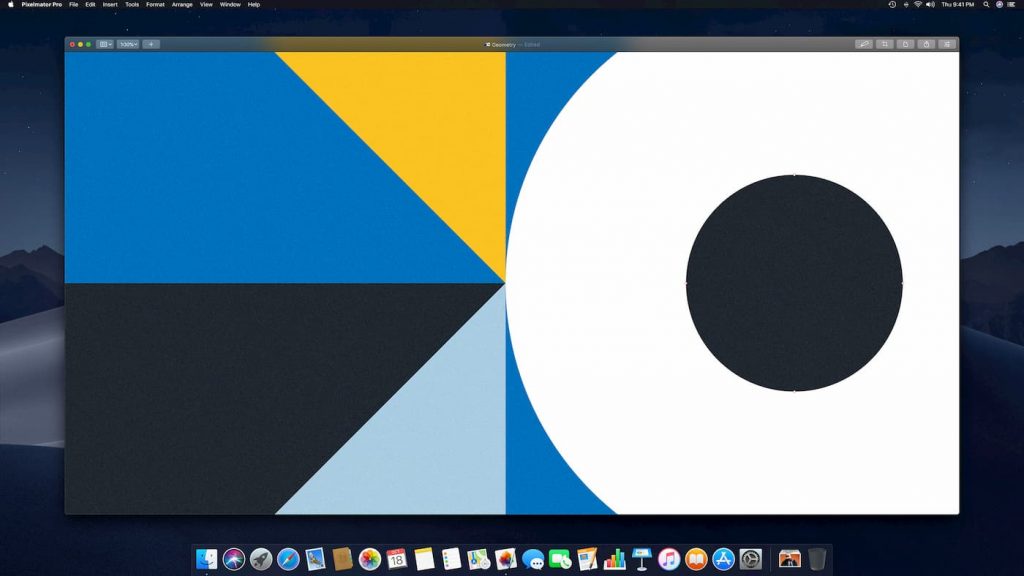
Next, we have Pixelmator Pro. This is a Mac-only tool that costs $39.99. It’s more for photo editing, but you can also easily manipulate vectors graphics as well. As of writing this, it’s the #1 software under “Graphics & Design” in the Mac store.
6. Gravit Designer (free and pro)
Next, we have Gravit Designer. This is a full-featured vector graphic design app that works on ALL platforms. It has both a free version with some limitations and a pro version that starts at $49.00 a year.

7. Lunacy (free)
Last but not least. Lunacy is a powerful vector design tool for Windows. It offers all the power of Sketch, including reading and saving Sketch files. It’s free of charge without any time limit.

Some of Lunacy’s features include:
- High-quality assets: Icons, photos, illustrations
- Symbols, overrides, and shared styles
- Advanced typography
- Dark theme
- Draw, merge, and align vector objects
- Export assets to PNG, SVG, JPEG, PDF, WEBP, TIFF, GIF, ICO
- Exporting CSS and XAML
- Auto-download missing Google fonts
- UI kits
Summary
Hopefully this list of some top options for a cheap Adobe Illustrator alternative was helpful. I have migrated to Affinity software and never looked back. It’s fast, it’s cheap, and there was almost no learning curve involved. I’m curious, what are you guys currently using? Let me know below in the comments!

Sketch is annual $99, I think
Oops, you are correct. I have updated the post above. Still a steal compared to Adobe :) Thanks
Check out Xara Photo and Graphic Designer. I’ve been using Xara products for 20 years. Occasionally I have to use Illustrator and it just frustrates me.
http://www.xara.com/us/photo-graphic-designer/
Thank you for this article Brian. Even small businesses and those working with social media on a regular basis run into this also. It is really getting ridiculous how much we pay for all the software we have to use. I wondered if you have tried Xara at all? They have some for just pictures and graphics, some for websites, etc… It downloads and you have it. They will update it also, until they get way beyond the version. I am not a graphic designer at all and have been wanting to learn photoshop, but am so busy with the business that I do not have time. So when I found this, I was thrilled, as it is very user friendly and for those who know photoshop it will be ‘child’s play’ and for those who do not it is much easier to learn. There was also a free course on Udemy that was teaching it as an alternative to Adobe. Lots of teaching videos on their site also. So would love your thoughts on this one also.
Any thoughts on replacing Photoshop? I don’t like Gimp. but the monthly Adobe fee is a killer.
Yes, Affinity software also makes Affinity Photo. I use both Affinity Designer (Illustrator replacement) and Affinity Photo https://affinity.serif.com/en-us/photo/ (Photoshop replacement) now. Got rid of Adobe altogether! Been working great!
Thanks for writing Brian. It looks interesting. I see it has a selection tool which is important, as well as the clone stamp tool. But I can’t seen any indication of a Pen tool or Content-Aware when deleting a selection (to replace it with a smart generated likeness of the surroundings – which can be hit or miss).
Content-Aware is a big one and would be hard to implement – I think. but the Pen tool should be standard.
I’ll grab the free trial.
Thanks again. Love your blog.
Hi guys!
Some questions:
1. is the interface of Affinity the same or almost the same as Illustrator?
2. can i open .pdf files and/or save files as .ai or .pdf with Affinity?
Im asking this since I am planning to start learning to use this software and I feel like AI is really too expensive. I just want to make sure that I will be able to work with colleages and coworkers seemlesly.
all the best
Yes, its literally the exact same :) I used Adobe Illustrator for 7+ years straight before using Affinity Designer and had no problems coming over.
Yes, you can open .ai/.pdf files in Affinity Designer. You just can’t do it the other way around. I had 10,000+ .ai files, and so Affinity Designer allows me to still open all my old stuff and then save as an Affinity Designer .afdesign file.
Hopefully that helps! You’ll love Affinity Designer. Trust me, I was blown away how great it is for the price.
Awesome thank you so much!
Just to make sure, can I also save the files to .ai so other people that actually are using AI can open it?
You can’t save as .ai file. But you can export as a PSD or PDF file which should preserve the layers, etc…
Hi Brian, thanks for sharing your findings.
I recently purchased Affinity Designer and it does wonders. I’m not a graphic designer but this app packs so many useful features! Excellent for my needs.
Cheers,
-steve
Great glad to hear it Steve! I love Affinity Designer. Use it every day. I still can’t believe how cheap it is when you compare it to Adobe. I can do everything I did in Adobe Illustrator… with no monthly payments :)
Surprised you didn’t at least mention Inkscape. It can be fiddly but it’s powerful. And free.
Having said that, I’m going to try out Vectr :-)
Thank you for sharing this great list Brian, would love to try Affinity.
When I read your article a light bulb went off.. I have been going nuts looking for something simple to do work on my CNC router, vinyl cutter and laser.. Made me disgusted looking into Adobe or fusion. Affinity Design looks like everything I need!!
Glad it was helpful Ryan! Hopefully by now you’ve been using Affinity Designer and have fallen in love with it as I have.
Brain- THANK YOU so much for this post!!! I have been using adobe photoshop and illustrator for 30 years, and am limping along with CS5 version, which, with Apples planned obsolesce, wont even open on new IMAC. was considering becoming a student again at community college just for the discount!!! but i am going to buy the Affinity now. ! i hear ya about having no entrepreneur/single plan that works. Im an artist trying to make a living- the cloud rate is crazy. My question is- can you recommend any tutorials to get me up and running on Affinity??
Glad I could help Cheryl! Ya, I’ve grown up with Adobe’s tools, they just don’t have pricing that works for everyone. Otherwise, I would have never even thought about looking for alternatives. But so happy I did because Affinity Designer and Affinity Photo are both amazing.
I have a few Affinity Designer tutorials in drafts that I’m working on. Here is one I’ve already published. https://woorkup.com/how-to-cut-a-shape-out-of-another-shape/ The Affinity Designer forums is great too!